Beware of email scams: how to spot “phishing”
Email scams (so-called "phishing") are getting better and better. Forget the old messages full of grammar mistakes: today scammers copy the logos and wording of Swiss companies and official bodies perfectly. It's very easy to fall into the trap: all it takes is reading an email in a hurry on your phone, or getting anxious about a made-up problem. There's absolutely no need to feel embarrassed if you have a moment of doubt.
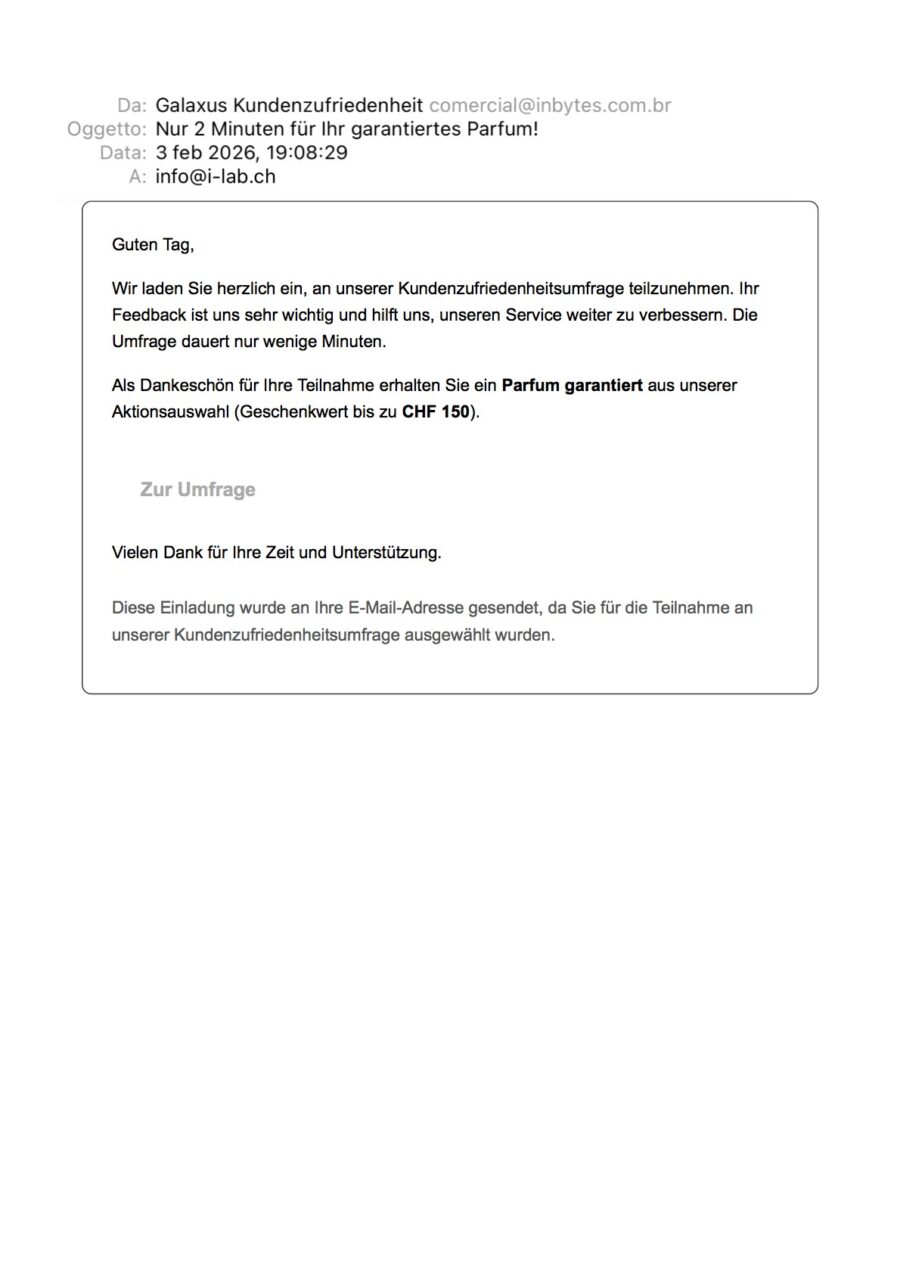
Example 1: The "Too good to be true" bait (Fake Galaxus)
Scammers often try to tempt you with a freebie. In this email, apparently sent by Galaxus, they promise you a free perfume worth CHF 150 in exchange for a simple two-minute survey. Sounds like an unmissable deal, right? Here's how to unmask it: always check the sender's real email address (not just the name). Although it says "Galaxus Kundenzufriedenheit", the real address the email comes from is comercial@inbytes.com.br. A Brazilian domain (.br)! No major Swiss company would ever write to you from an address like that.
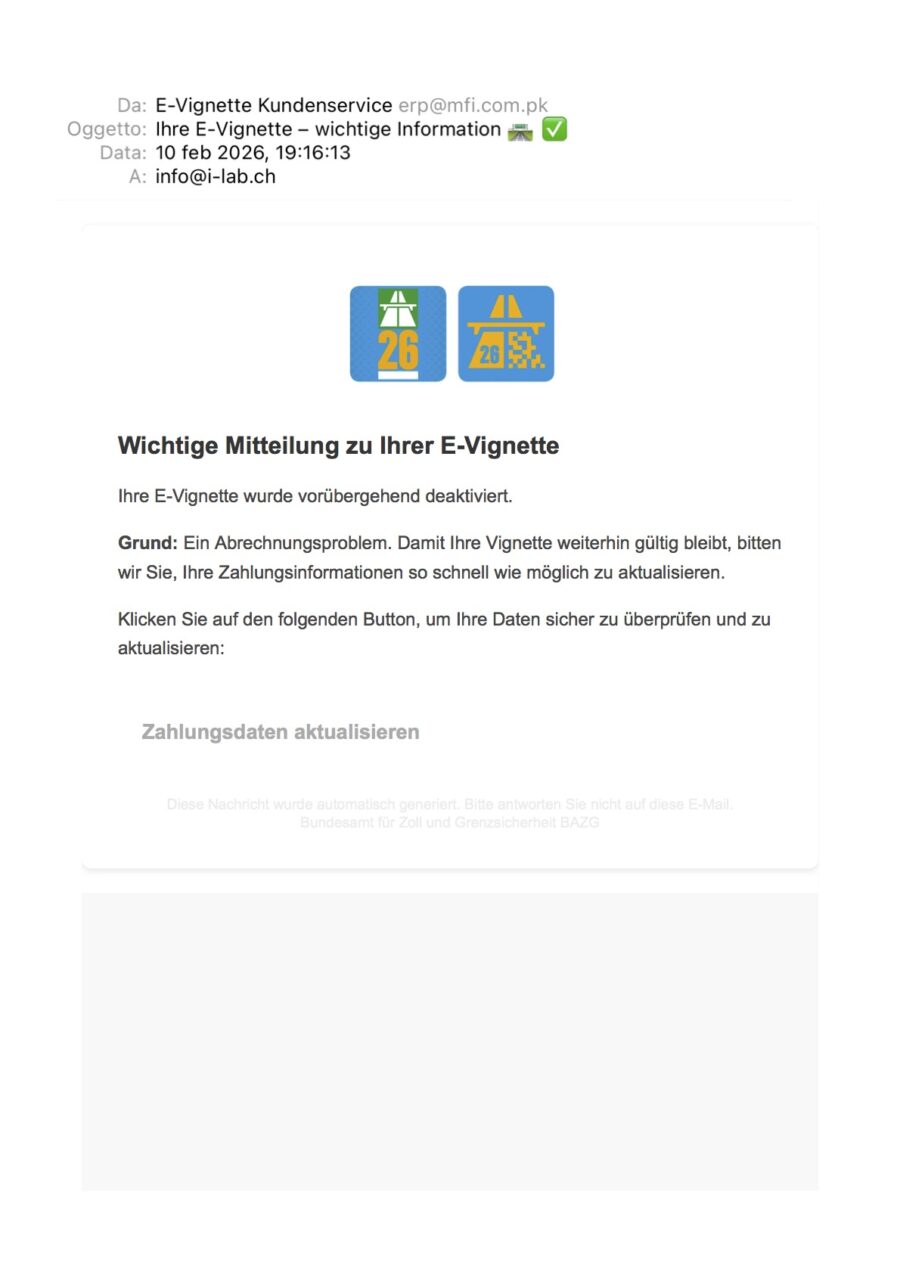
Example 2: The urgency and panic tactic (Fake E-Vignette 1)
If they don't use gifts, they use fear. Here they pretend to be the Federal Office for Customs and Border Security (BAZG) and warn you that your motorway E-Vignette has been deactivated because of a "billing problem". The goal? To scare you with the thought of a fine and push you to click straight away on the "Update payment details" button, so they can steal your credit card details. Here too, the trick to avoid being fooled is to check the sender: the real email is erp@mfi.com.pk, which even comes from Pakistan (.pk). An official Swiss body would never use an address like that.
Example 3: The little typos (Fake E-Vignette 2)
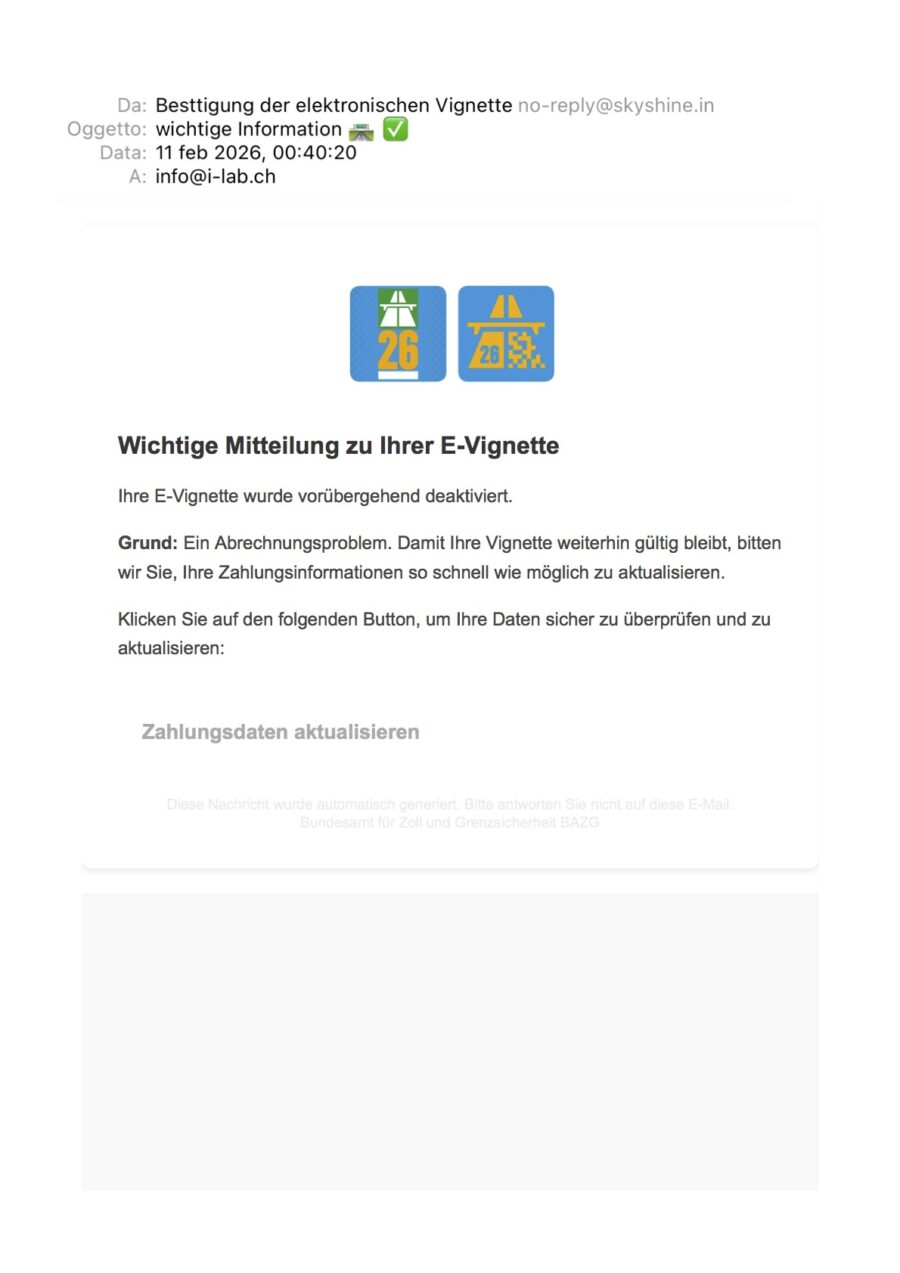
The scammers try again with the same blocked E-Vignette scam, but this time they slip up. Besides the usual suspicious email address (this time it's no-reply@skyshine.in, an Indian domain .in), they make a mistake in the very name of the sender they tried to fake. Instead of correctly writing "Bestätigung" (Confirmation), they wrote "Besttigung", leaving out the "ä". These scams are often mass-produced by people abroad or through automatic translators: watching out for these little spelling mistakes can save you a lot of trouble!
The golden rule: Never click on buttons or links in an email unless you're 100% sure. No bank or official body will ever ask you to update sensitive data this way.
If you have even the slightest doubt, stop and contact i-Lab! Don't risk causing damage: send us a screenshot of the email on WhatsApp or call us on 091 252 55 50. We'll check together, calmly, whether it's a genuine message or a scam, and keep your data and devices safe.